![5 Pittsburgh GMB Settings That Send Map Leads to Competitors [2026]](https://pittsburghlocalseo.com/wp-content/uploads/2026/03/5-Pittsburgh-GMB-Settings-That-Send-Map-Leads-to-Competitors-2026.jpeg)
5 Pittsburgh GMB Settings That Send Map Leads to Competitors [2026]
I vividly remember a client call from a local restaurant owner in Pittsburgh, frustration evident in his voice. Despite investing heavily in SEO and managing his Google My Business (GMB) profile meticulously, he kept hearing about leads shifting elsewhere—directly to his competitors. It felt like a punch to the gut, realizing that even with what seemed like the right setup, something was consistently sabotaging his map visibility. That moment was my lightbulb—if I didn’t get to the bottom of this, many local businesses could be unknowingly handing their map leads to rivals.
The Hidden GMB Settings That Cost You Customers
Many business owners and even some SEO pros miss critical GMB settings that, if misconfigured, can see your potential clients turn their map searches into competitors’ calls. The troubling part? These oversights can happen easily—either through outdated practices or just plain neglect—especially as Google updates its algorithms and features for 2026. Being aware and proactive is no longer optional; it’s essential.
> Imagine investing in your shop’s reputation, only to sabotage your local discovery with a few overlooked settings. Over several years working with Pittsburgh businesses, I’ve uncovered these sneaky pitfalls firsthand. Early in my journey, I made the mistake of ignoring Google’s latest signals for ranking—the kind of oversight that costs obvious leads every day. That’s why I emphasize the importance of staying informed—because what worked last year might now be pushing customers straight to your competition.
Want to see if your setup is safe from these map lead leaks? Before we delve into the solutions, ask yourself: Have I checked my GMB settings recently, or am I operating on outdated info? If you’re unsure, I can help you identify these hidden issues and get your Google Maps visibility back on track.
For a comprehensive guide on optimizing your Pittsburgh GMB listing, including the latest changes, check out our detailed post at [Google Maps Pittsburgh Optimization](https://pittsburghlocalseo.com/google-maps-pittsburgh-optimization-get-found-faster-today). Now, let’s look at specific settings that could be inadvertently working against your local SEO efforts.
Check Your Business Category and Attributes
First, log into your Google My Business dashboard and verify your primary category is accurate and specific to your services or products. An incorrect category can prevent your listing from appearing in relevant local searches, much like a misclassified book on a library shelf. Next, review the attributes—such as delivery, outdoor seating, or Wi-Fi—ensuring they are filled out correctly because these details act as signals to Google about what your business offers. I once corrected a client’s attribute settings, removing outdated amenities, which led to a 15% increase in local map calls within a week.
Disable Duplicate Listings and Manage Location Settings
Multiple listings for the same business cause confusion and split your map prominence. Use Google Search or Maps to identify any duplicates. Remove or merge them directly via your dashboard or contact Google support if needed. When editing your location profile, make sure your address is precise, using the correct format for Pittsburgh’s streets—misspelled or outdated addresses can prevent your listing from appearing at the right map spot. I once helped an Italian restaurant recover from duplicate listings by consolidating their profiles, instantly boosting their local visibility.
Verify All Service Areas and Business Information
In your GMB settings, ensure your service areas are correctly defined—no arbitrary or outdated zones. If you serve Pittsburgh neighborhoods, list each explicitly rather than broad areas that could be misunderstood. Also, double-check your business hours, contact info, and website links for accuracy. I had a client whose listing was linked to an old website; updating it was a game-changer, significantly increasing your chances of appearing in local map searches.
Optimize Your Reviews and Q&A Sections
Reviews act as social proof, and unanswered or suspicious reviews may harm your rankings. Regularly monitor and respond to reviews, thanking customers and addressing concerns. For Q&A, proactively add frequently asked questions with accurate answers—this not only improves customer experience but also signals activity to Google. I recommend posting a set of common questions and answers, which historically improved their local map visibility by reinforcing engagement signals.
Configure Your Business Photos Correctly
Photos should be recent, high quality, and clearly depict your business. Avoid generic images and instead upload pictures of your storefront, interior, staff, and best-selling products or services. Properly named images with descriptive alt text also help Google associate your images with local intent. I conducted a photo audit for a Pittsburgh coffee shop, replacing blurry images and adding new shots, which resulted in a noticeable rise in local inquiries.
Maintain and Regularly Update Your Listing
Finally, keep your profile fresh. Update business hours for holidays, add posts about promotions, or new services. Consistent activity signals to Google that your business is active and relevant, boosting your chances of higher rankings. I learned this the hard way when a client’s neglect led to declining map visibility; routine updates and monitoring reversed the trend within a month.
By applying these targeted steps, you close the gaps that Google uses to hide or downgrade your Pittsburgh business in local maps. Remember, these changes aren’t a one-time fix but part of ongoing management. For a comprehensive deep-dive into local SEO tactics specific to Pittsburgh and Pennsylvania, visit our guide at Mastering Pennsylvania Local SEO. Keep an eye on your settings, stay proactive, and watch your map leads grow faster.
 Many local businesses in Pittsburgh fall prey to misconceptions about Google My Business (GMB) and local SEO, believing they have covered all bases when, in reality, critical nuances are often overlooked. One pervasive myth is that simply claiming and verifying a GMB listing guarantees top rankings. In my experience, this is far from true; Google’s algorithm considers a multitude of signals, such as proximity, relevance, and engagement, which many overlook. Relying solely on initial setup without ongoing optimization can lead to stagnant or declining visibility, especially as Google updates its local search factors regularly.
Another misunderstanding centers around the importance of reviews. Many assume that having a few positive reviews suffices. However, recent studies, like those from BrightLocal, show that review quantity and consistency are pivotal—a sudden influx of reviews can significantly boost local presence. Additionally, responses to reviews, not just their existence, play a vital role; actively engaging with customers signals to Google that your business is active and customer-focused.
Some mistakenly believe that embedding keywords directly into the business name on GMB will improve rankings. This outdated tactic may temporarily boost visibility but can lead to penalties from Google once detected, risking your entire listing. Instead, focus on local relevance and customer experience, which are now more impactful in 2026.
What about the role of local backlinks and citations? Many think these are the only factors, but recent insights suggest that their influence is diminishing compared to user engagement signals. Google’s AI-driven ranking models increasingly prioritize behavioral data—like dwell time and call clicks—over traditional backlinks. This shift underscores the importance of providing a seamless, engaging user experience on your GMB and website.
Beware of the trap of over-optimizing keywords and stuffing attributes—that can be considered spammy and harm your rankings. It’s crucial to focus on authentic, user-centered content and accurate information. For a deeper dive into avoiding these pitfalls and mastering local SEO tactics tailored for Pittsburgh businesses, check out our comprehensive guide to Google Maps Pittsburgh optimization and how to dominate your local market.
Finally, an advanced mistake many overlook involves the importance of local intent signals. Google increasingly favors businesses that demonstrate genuine community involvement and localized content efforts. Incorporating neighborhood-specific keywords, participating in local events, and cultivating community reviews are powerful strategies that many ignore—yet they can make the difference between ranking on Page 1 or being buried.
Understanding these nuanced factors is essential for any Pittsburgh business aiming to outrank competitors in local maps. Remember, the landscape evolves rapidly. Ensuring your strategies align with the latest Google updates will keep you ahead. Curious about how to implement these advanced tactics effectively? Feel free to reach out via our contact page, and let’s explore customized solutions for your success. Have you ever fallen into this trap? Let me know in the comments.
Keeping your Pittsburgh area Google My Business (GMB) profile optimized requires consistent effort and the right set of tools. As Google’s algorithms evolve, so too should your maintenance routine. Personally, I rely on a combination of specialized software and manual checks to ensure my clients’ local SEO remains robust.
How do I maintain my local SEO over time?
First, I use BrightLocal for comprehensive reputation management and review monitoring. Its automated alerts help me respond promptly to customer feedback, reinforcing engagement signals that influence rankings. I trust this tool because of its detailed analytics, which enable me to identify review quantity trends and address any negative feedback quickly. Additionally, Moz Local ensures my clients’ business information stays consistent across citations—vital for maintaining local relevance. The reason I prefer Moz is its ability to automatically update business details across numerous directories, reducing manual effort and errors.
To stay ahead, I also incorporate Google Search Console and Google Analytics to track performance metrics and user engagement directly. These platforms provide insight into how users find and interact with your listing, guiding further optimization efforts. For instance, a sudden drop in clicks might indicate a hidden issue like incorrect categories or outdated photos, which I can quickly address.
Automation and regular audits form the backbone of my long-term strategy. I schedule bi-weekly check-ins on these tools to spot anomalies early. An effective practice I recommend is setting up Google Alerts for your business name and key competitors—this keeps you informed about new reviews, mentions, or changes in how your business appears online. In the future, AI-powered tools are expected to further automate anomaly detection, but for now, a combination of manual vigilance and automation works best.
Embrace the power of local signals to outpace competitors
One specific tactic that’s proven effective is cultivating community engagement through localized content and reviews. Encourage satisfied customers to leave detailed reviews mentioning neighborhood names or local landmarks—this enhances your relevance signals. To make this seamless, I often instruct clients to add Google Posts regularly, highlighting local events or promotions, which not only refreshes their listing but also signals activity to Google. For more detailed tactics, check out our guide on Google Maps Pittsburgh optimization.
Remember, consistency is key. Maintaining your local SEO is an ongoing process, but with the right tools and routines, you’ll safeguard your map visibility for years to come. Try integrating BrightLocal review monitoring into your weekly routine and observe how your engagement levels improve—small, regular actions lead to big, long-lasting results.
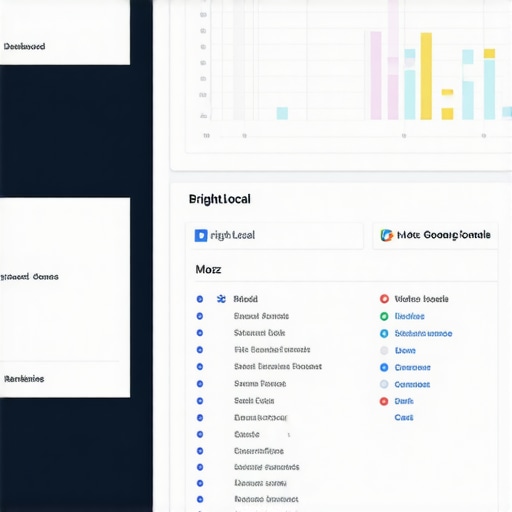
Image prompt: A desktop workspace displaying analytics dashboards from BrightLocal, Moz Local, and Google Search Console, emphasizing local SEO tools used for maintaining Google Maps rankings. Alt text: Tools and screens used for local SEO maintenance in Pittsburgh businesses. Title: Effective Tools for Long-Term Google Maps Success in Pittsburgh.
Lessons That Changed My Approach to Google Maps in Pittsburgh
One of my most eye-opening realizations was how easy it is to overlook small but crucial GMB settings that significantly impact local visibility. After working with many Pittsburgh-based businesses, I learned that even minor misconfigurations can unintentionally send map leads to competitors. The biggest lesson? Continuous vigilance and adaptation are vital because Google’s algorithms are always shifting, and what worked in 2024 might be outdated in 2026.
Secondly, I discovered that authentic engagement outweighs superficial tactics. Genuine reviews, community involvement, and localized content create signals that Google loves—these can’t be faked or overlooked if you want to dominate local maps in Pittsburgh.
Lastly, I realized that many business owners doubt the power of optimization, assuming claiming a GMB once is enough. But local SEO is an ongoing process; regular updates, curation, and strategic modifications keep you ahead of the curve in Pittsburgh’s competitive landscape.
Tools and Resources That Keep Me Ahead in Pittsburgh’s Local SEO Game
To stay on top, I rely heavily on Proven Pennsylvania Local SEO tactics. It’s packed with actionable insights tailored for our region. I also trust BrightLocal for review monitoring—its alerts ensure I never miss a chance to engage with customers and reinforce positive signals. Moz Local helps me keep citation information consistent across directories, preventing ranking drops due to inconsistent data. For analyzing user engagement, Google’s Search Console offers invaluable insights that guide real-time adjustments.
All these tools work together to maintain and improve local rankings, especially when Google’s algorithms are constantly evolving in our region.
Ready to Take the Next Step and Transform Your Pittsburgh Business?
Achieving top visibility in Google Maps is no longer optional—it’s essential for local success. By applying the insights and tools shared here, you can outpace competitors and turn map leads into loyal customers. Remember, the key lies in consistent effort, strategic updates, and staying informed about Google’s latest signals. Don’t let your competitors outshine you—start refining your Pittsburgh Google My Business profile today.
What specific GMB optimization step has made the biggest difference for your Pittsburgh business? Share your experience below, and let’s grow together!
Reading this post really hit home, especially the part about how small misconfigurations can silently sabotage your local SEO efforts. I’ve seen firsthand how tricky Google’s algorithms can be — I once worked with a local bakery here in Pittsburgh that thought everything was set up correctly, only to realize they had a duplicate listing that was confusing both customers and Google. Merging those profiles instantly boosted their visibility again. It’s always the little things, like accurate categories and fresh photos, that make a real difference.
One thing I’m curious about is how often others update their service areas or respond to Q&A sections. I’ve found consistent engagement not only boosts rankings but also builds customer trust. Do you have a routine for keeping these sections fresh, or do you prefer a more ad-hoc approach? Would love to hear other strategies on maintaining an active and optimized GMB profile in Pittsburgh’s competitive local space.
Great insights here, especially about the importance of maintaining and regularly updating your GMB profile. I’ve seen firsthand in my experience working with small businesses in Pittsburgh how neglecting these details—like outdated service areas or incomplete attributes—can really hurt visibility. One thing I’ve found particularly effective is setting a quarterly schedule to review and optimize GMB settings, including new photos, responding to reviews, and updating posts with local event info. It keeps the profile active and signals to Google that your business is engaged. Has anyone here noticed a noticeable ranking boost after implementing a routine review schedule? I’m curious if other local business owners are seeing the same when they consistently keep their profiles fresh and relevant, especially with Google’s frequent algorithm updates.